How to Build a Custom Customer Portal for a B2B Service Business: Architecture, Tech Stack, and Costs
Learn how to build a high-ROI customer portal for your B2B service business. Explore build vs. buy trade-offs, architecture blueprints, modern tech stacks, and realistic costs.

If your B2B service business bills over $1 million annually, you are likely losing thousands of dollars every week to what we call the "operational black hole."
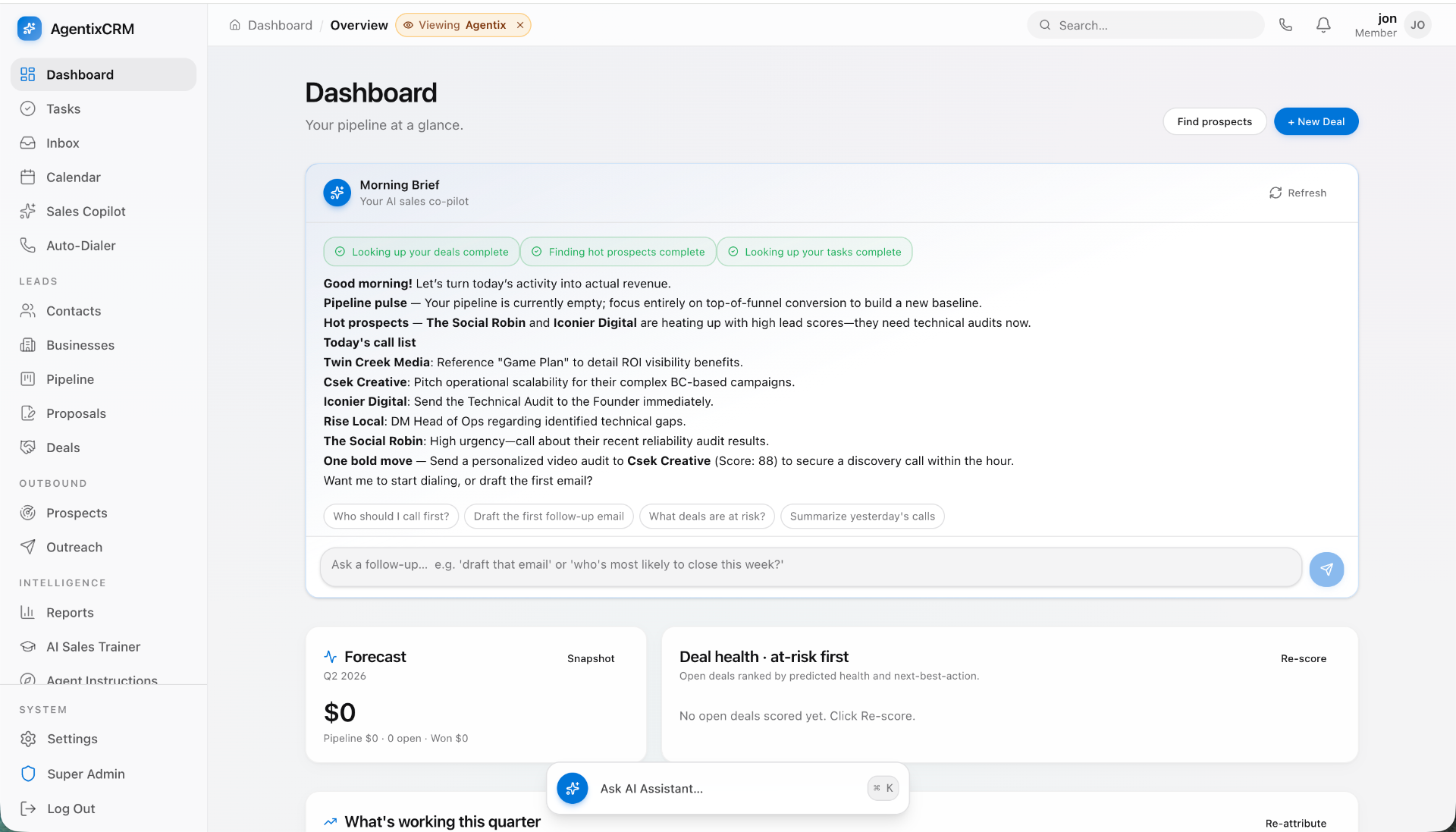
It looks familiar: a enterprise client emails an account manager asking for the latest deliverable. The account manager digs through a shared Google Drive, checks an internal Slack channel, verifies an invoice status in QuickBooks, and responds four hours later with a view-only link that requires permission access. Meanwhile, your senior operators spend 30% of their billable hours answering questions that should be self-serve: Where is the file? What phase are we in? When is our next review? How much retainer budget do we have left?
When you provide high-ticket consulting, agency services, legal advice, accounting, or custom engineering, your client experience is your product. A bespoke, high-performance customer portal does not merely streamline file sharing—it establishes your operational authority, insulates your client retention, and directly drives margins.
Here is how to design, architect, and build a custom B2B customer portal that transforms your service delivery into a scalable software asset.
The Breaking Point: Why B2B Services Outgrow Email and Drive
Most service companies begin their operational stack with duct tape: email threads, shared Notion workspaces, a folder structure on Google Drive or Dropbox, and perhaps a shared Slack or Teams channel.
For a firm managing five clients, this works. At twenty clients, it causes service decay. At fifty clients, it creates structural liabilities:
- Zero Information Asymmetry Control: Clients accidentally gain visibility into internal margins, contractor notes, or draft deliverables they were never meant to review.
- Security & Compliance Disasters: Enterprises will not pass vendor security reviews if critical assets, financial statements, or HIPAA/SOC2-governed data are passed via unsecured email attachments or unrestricted Drive links.
- Deliverable Scope Creep: Without hard approval checkpoints codified in software, verbal agreements become disputes. When a client claims "we never approved that specification," your account leads waste hours auditing communication trails.
- Burnout of Top Billers: Your most expensive team members become manual data switchboards, copying status updates out of Linear, Jira, or Asana into polished client emails.
When client questions pull your key strategists away from billable execution, an off-the-shelf SaaS tool is rarely enough. You need dedicated software built around your exact business mechanics.
Build vs. Buy: When Off-the-Shelf Portal Software Fails
When evaluating how to build a customer portal for a B2B service business, the first question leadership asks is inevitably: "Why shouldn't we just subscribe to Copilot, SuiteDash, Clientary, or configure HubSpot's Service Hub?"
Commercial off-the-shelf (COTS) portal software has a clear purpose: it helps sub-$500k agencies get up and running in 48 hours for $100 a month. However, for established firms with proprietary delivery models, COTS platforms hit a ceiling fast.
+------------------------------------+---------------------------------------+
| Off-the-Shelf (COTS) Portals       | Custom Engineered Portals             |
+------------------------------------+---------------------------------------+
| Generic "Ticket / Task" paradigms | Tailored around your delivery model   |
| Per-seat tax penalizes client base | Flat infrastructure cost; scale freely|
| Fragmented, non-native brand UX   | 100% white-label IP on your domain    |
| Brittle webhook integrations       | Direct bi-directional API pipelines   |
| Vendor owns your operational data  | You own the code, data, and schema    |
+------------------------------------+---------------------------------------+
COTS Platforms vs. Custom Builds: The Economic Threshold
Consider the hidden costs of third-party platforms. If your portal software charges $29/month per active client seat, and each of your 40 enterprise accounts has 10 stakeholders logging in, you are paying over $13,000 annually for a system you cannot customize. Worse, your clients interact with a generic, cookie-cutter interface that signals your business is just another small agency using canned tools.
Build custom when:
- Your service workflow is non-standard: You deliver structured data, CAD files, complex analytics, staged code reviews, or regulatory filings that generic "file dropboxes" cannot render.
- You require multi-party sign-offs: Multiple executives on the client side must sequentially sign off on milestones before billing gates unlock.
- You want to protect proprietary IP: You have algorithmic calculators, predictive models, or automated reporting scripts you want clients to access without viewing the underlying code.
- You want to build long-term enterprise value: A service business with proprietary delivery software trades at significantly higher valuation multiples than one running entirely on standard spreadsheets.
Core Architecture: What a Modern B2B Portal Requires
An effective B2B portal is not a static dashboard. It is an interactive operating system that bridges your internal team’s project tools with your client’s executive stakeholders.
When building a custom web application, we design the portal around five mission-critical subsystems.
  +-------------------------------------------------------------+
  |                     CLIENT-FACING UI                         |
  |     (Next.js / React, Tailwind CSS, shadcn/ui components)    |
  +-------------------------------------------------------------+
                                 |
                 [ Secure Session / JWT / SAML SSO ]
                                 |
  +-------------------------------------------------------------+
  |                     APPLICATION CORE                         |
  |  +----------------+ +------------------+ +----------------+ |
  |  | Multi-Tenant   | | Approval Engine  | | Dynamic Auth   | |
  |  | RBAC Middleware| | & Audit Trail    | | (WorkOS/Clerk) | |
  |  +----------------+ +------------------+ +----------------+ |
  +-------------------------------------------------------------+
            |                    |                    |
    [Postgres (Neon)]    [Cloudflare R2/S3]     [Stripe Billing]
            |                    |                    |
  +-------------------+  +-----------------+  +-----------------+
  | Structured Relational| | Encrypted Assets| | Invoices, Usage|
  | Data & Milestones |  | Presigned URLs  | | & Retainers   |
  +-------------------+  +-----------------+  +-----------------+
1. Multi-Tenant Authentication & Granular RBAC
Enterprise clients have complex organizational hierarchies. The VP of Finance needs to see invoices and contract utilization but cares nothing about daily Figma link revisions. The Project Lead needs deliverable approvals but should never see billing histories.
Your authentication layer must provide:
- Organization-level multi-tenancy: Complete data isolation between client organizations.
- Role-Based Access Control (RBAC): Granular permissions for Owner, Approver, Viewer, and External Auditor.
- Enterprise Single Sign-On (SSO): Support for SAML 2.0 / Okta / Azure AD. If you sell to Fortune 1000 accounts, this is non-negotiable for passing IT procurement.
2. Real-Time Project & Milestone Tracking
Do not build a duplicate project management tool. Your internal operators should not have to manually update tasks in Jira and then re-enter them in the client portal.
Instead, engineer an event-driven sync pipeline. Connect internal systems (Linear, Jira, ClickUp, Asana) via webhooks to the portal database. When your team moves an internal issue from In Review to Client Ready, the portal automatically triggers an updated client milestone view, timestamps the status change, and sends an automated notification to the client's decision-makers.
3. Secure Asset Pipelines & Deliverable Versioning
In B2B client services, files are rarely final on the first draft. The portal needs native support for version control:
- Direct-to-S3 / Cloudflare R2 Uploads: Large files (video raw cuts, data dumps, multi-gigabyte exports) bypass your application server entirely using temporary presigned URLs.
- Immutable Version History: Clients can inspect v1, v2, and v3, complete with side-by-side diffs, upload timestamps, and who authored each iteration.
- Built-in Approval Gates: An unmissable button: "Approve Deliverable" or "Request Revisions with Feedback." Storing this confirmation creates an immutable audit log that eliminates downstream billing disputes.
4. Integrated Retainers, Invoicing, and Stripe Workflows
Cash flow slows down when accounting teams have to generate, email, and manually reconcile invoices. Integrating Stripe Billing or Stripe Custom Connect into the portal delivers clear financial mechanics:
- Retainer Burn Counters: Visual progress bars displaying hours or sprint points consumed versus the monthly contracted baseline.
- One-Click Payment Rails: Clients can settle open net-30 invoices via ACH or credit card directly in the portal.
- Automatic Gatekeeping: If an invoice is 15 days past due, the portal can gracefully restrict access to final asset downloads until the balance is cleared.
5. AI-Driven Status Digests and Document Querying
Modern client portals should not just be passive file lockers. By incorporating modern LLM orchestration, you can provide outsized value:
Want this shipped, not just read about?
Book a free scoping call. We'll map the smallest billable wedge of your idea and tell you honestly if we're the right team to build it.
Book a free scoping callSee what we've shipped →
- Weekly AI Executive Summaries: An automated job scans internal ticket updates and milestone changes, producing a bulleted, high-level digest for client executives every Monday at 8:00 AM.
- RAG-Powered Document Search: Clients can ask natural-language questions across months of deliverables: "What were our agreed Q3 marketing KPIs?" or "Show me the compliance risk analysis delivered in May." The portal pulls the exact citations from uploaded PDFs instantly.
At Envert, we routinely architect client portals using Next.js, Node.js/TypeScript, PostgreSQL, and Clerk/WorkOS because this stack delivers enterprise-grade security and rapid feature delivery without vendor lock-in.
Recommended Tech Stack for a Scalable Client Portal
Selecting your tech stack is not just a technical preference; it dictates hiring flexibility, security compliance, and long-term maintenance overhead. Avoid convoluted legacy enterprise stacks or restrictive low-code wrappers like Bubble or Softr for core portals.
Here is our battle-tested architecture for high-performance B2B portals in 2025:
- Frontend Application: Next.js (React) with TypeScript and Tailwind CSS. Pair this with accessible UI primitives like shadcn/ui or Radix UI. This stack guarantees lightning-fast client-side routing, automated mobile responsiveness, and clean code that any senior frontend engineer can immediately maintain.
- Backend API & Data Logic: Node.js/TypeScript via Next.js Server Actions or a dedicated NestJS service. Strong type safety across your entire repository minimizes schema mismatches between what your database stores and what the client sees.
- Database Layer: PostgreSQL hosted on Neon or Supabase, managed via Prisma or Drizzle ORM. Relational integrity is essential here—orphaned deliverables or misaligned permissions across organizations are unacceptable in B2B.
- Identity & Authentication: Clerk (for fast consumer-grade polish) or WorkOS (for enterprise SAML, directory sync, and automated audit logging).
- Asset Storage: Cloudflare R2 or Amazon S3. Cloudflare R2 has the distinct advantage of zero egress fees, which saves thousands of dollars if you distribute heavy video or data assets.
- Asynchronous Jobs & Sync: Inngest or Temporal. Essential for scheduling automated client reports, processing uploaded assets, and polling third-party API changes.
Realistic Costs and Timelines for a Custom Build
Building custom software is an investment that requires transparent financial modeling. Anyone who tells you that an enterprise-grade, secure, multi-tenant B2B client portal can be custom built for $5,000 on Upwork is setting you up for insecure database schemas, messy code, and an eventual ground-up rewrite.
Below is an honest breakdown of the capital and calendar requirements for building a production-ready custom customer portal.
Phase-by-Phase Budget and Schedule
+---------------------------+------------------+-----------------------------+
| Phase                     | Timeline         | Cost Range (US Studio)      |
+---------------------------+------------------+-----------------------------+
| 1. Discovery & Data Flow  | 1 - 2 Weeks      | $6,000 - $12,000            |
| 2. UI/UX System Design    | 2 - 3 Weeks      | $10,000 - $18,000           |
| 3. Core Engine & Auth     | 4 - 6 Weeks      | $25,000 - $45,000           |
| 4. Integrations & Stripe  | 2 - 3 Weeks      | $12,000 - $22,000           |
| 5. QA, Security & Launch  | 1 - 2 Weeks      | $7,000 - $13,000            |
+---------------------------+------------------+-----------------------------+
| TOTAL                     | 10 - 16 Weeks    | $60,000 - $110,000+         |
+---------------------------+------------------+-----------------------------+
When clients partner with Envert for custom web app and SaaS MVP development, our US-based studio builds these operational engines in focused sprints. We eliminate scope bloat, prioritize the critical path, and deliver a production-ready system in 8 to 12 weeks, rather than letting an internal team experiment for three quarters.
What About Ongoing Maintenance?
Budget 15% to 20% of the initial build cost annually for hosting (Vercel, AWS/Cloudflare), third-party auth tooling, security patches, dependency updates, and minor feature additions. Because you own the underlying code, you are never held hostage by escalating SaaS seat pricing.
The 6-Step Implementation Blueprint
To ensure your portal build lands smoothly without breaking your existing client relationships, execute your project using this structured six-step sequence:
Step 1: Map the Client Pain Inventory
Do not build what you think clients want. Review your sent email folders and support histories across the past 90 days. Group every client inquiry into categories:
- Where is file X?
- Who is working on task Y?
- What is the status of bill Z? Every frequent inquiry reveals an essential dashboard widget for your MVP.
Step 2: Establish the Single Source of Truth
Decide where operational data lives. Your portal should generally read from your project management system and write to your financial/client ledger. Document every field mapping:
Linear Project Phase->Portal Milestone CardStripe Customer Balance->Billing Dashboard Progress BarCloudflare R2 Bucket->Deliverables Library
Step 3: Design for Executive Scannability
Client executives will not spend hours clicking through deep folder nests. The primary dashboard view must answer three questions in five seconds:
- What did your team finish this week?
- What are you waiting on us (the client) to approve right now?
- What is shipping next week?
Step 4: Build the Core System and Security Foundations
Set up clean relational database schemas with strict row-level security (RLS). Ensure no client can ever guess or increment an ID in an API URL (e.g., changing /api/projects/104 to /api/projects/105) to leak another customer's data. Use cryptographically secure UUIDs and test your access boundaries thoroughly.
Step 5: Pilot with Three Anchor Accounts
Never flip the switch on 100% of your client base overnight. Hand-pick three trusted, friendly client accounts to enter a private alpha. Have their account leads use the portal exclusively for all communication and approvals for three weeks. Collect candid feedback, patch UX friction points, and squash edge-case bugs.
Step 6: Full Migration and Operational Cutover
Announce the portal as an elite operational upgrade. Frame it as an investment in their security and speed. Provide each client executive with a 90-second Loom walkthrough. Train your account managers to gently enforce the portal: whenever a client asks for a deliverable via email, the manager replies with a direct, deep link to that specific asset inside the portal.
Common Pitfalls That Kill Portal Adoption
Even well-funded software projects fail if they violate fundamental human incentives. Keep an eye out for these classic implementation mistakes:
- Building a "Read-Only Graveyard": If the portal only presents static data and requires nothing from the client, they will stop logging in. Force high-value interactions through the portal—make it the exclusive location for approving project milestones, releasing retainers, and downloading final production assets.
- Failing the Mobile Browser Test: While your team works from desktop workstations, client executives often review notifications and approve deliverables on iPhones between meetings. If your portal’s approval buttons or PDF views break on mobile Safari, review cycles will stall.
- Requiring Clunky Password Resets: Avoid forcing busy enterprise clients to remember yet another 16-character password with a special symbol. Implement passwordless magic links or standard enterprise SSO via WorkOS/Clerk. Frictionless authentication is the single greatest predictor of portal login frequency.
- Over-Engineering Day One: You do not need in-app video conferencing, whiteboarding, complex chat channels, and automated proposal builders in version 1.0. Focus entirely on file delivery, milestone visibility, and approval tracking. Add advanced AI capabilities once your fundamental pipeline is solid.
Turn Your Operations Into a Competitive Advantage
In an increasingly crowded market for B2B services, technical execution alone is no longer your sole differentiator. How easy, transparent, and enjoyable it is to work with your firm is what protects your margins and drives client referrals.
A bespoke customer portal turns your internal workflow into an interactive, premium product experience. It turns manual project management hours back into high-margin strategy, reassures enterprise stakeholders that their data is protected, and scales your operation without requiring an army of account managers.
If you are ready to stop managing enterprise clients out of messy email chains and off-the-shelf software tools, partner with a team that knows how to build production software right the first time.
Ready to build your custom customer portal? Book a free scoping call with Envert, and let’s walk through your operational architecture, timeline, and exact software blueprint.
Frequently asked questions
How long does it take to build a custom B2B customer portal?+
A production-grade custom customer portal typically takes between 8 and 14 weeks to design, develop, and launch. An MVP focusing on authentication, deliverable reviews, and milestone tracking can be completed in about 8 to 10 weeks, while deep enterprise builds with custom SSO and bidirectional CRM syncing require 12 to 16 weeks.
How much does a custom customer portal cost?+
A fully tailored, secure B2B customer portal built by an experienced US software studio generally ranges from $55,000 to $110,000 depending on integration complexity, compliance requirements, and custom payment mechanics. Ongoing maintenance and infrastructure typically run between $400 and $1,200 per month.
Why should we build a custom portal instead of using Copilot or SuiteDash?+
Off-the-shelf portals are ideal for small agencies, but they quickly fail high-ticket service firms that require custom data structures, enterprise SSO, white-label branding, or complex deliverable sign-offs. Custom portals eliminate per-seat monthly subscription taxes, adapt to your proprietary workflows, and build equity in your own intellectual property.
How do we ensure our clients actually log in and use the portal?+
Client adoption hinges on low friction and exclusive utility. Implement passwordless magic links or Google/SAML SSO to eliminate login hassles, and make the portal the sole channel for critical actions such as signing off on milestones, accessing production deliverables, and managing retainer budgets.
Can our client portal integrate with our existing project management tools?+
Yes. A modern custom portal utilizes event-driven webhooks and APIs to sync bi-directionally with platforms like Linear, Jira, Asana, and ClickUp. Your internal team continues working in their preferred internal tools, and the portal automatically reflects client-safe updates in real time.